Thursday, 10 March 2011

Tuesday, 8 March 2011
New actors

This is an image of the new guy that is going to replace Jevan so he will be our main actor "Scott" who is getting followed, he's called Daniel. We have chosen him as you can see that his hair will not change like Jevan's since it is short.

This is sam, he will be playing the youth that is following Scott to return his wallet, we are using him because he was willing to help out and he's reassured us that he will keep his image the same for our filming.

Monday, 7 March 2011
Group discussion
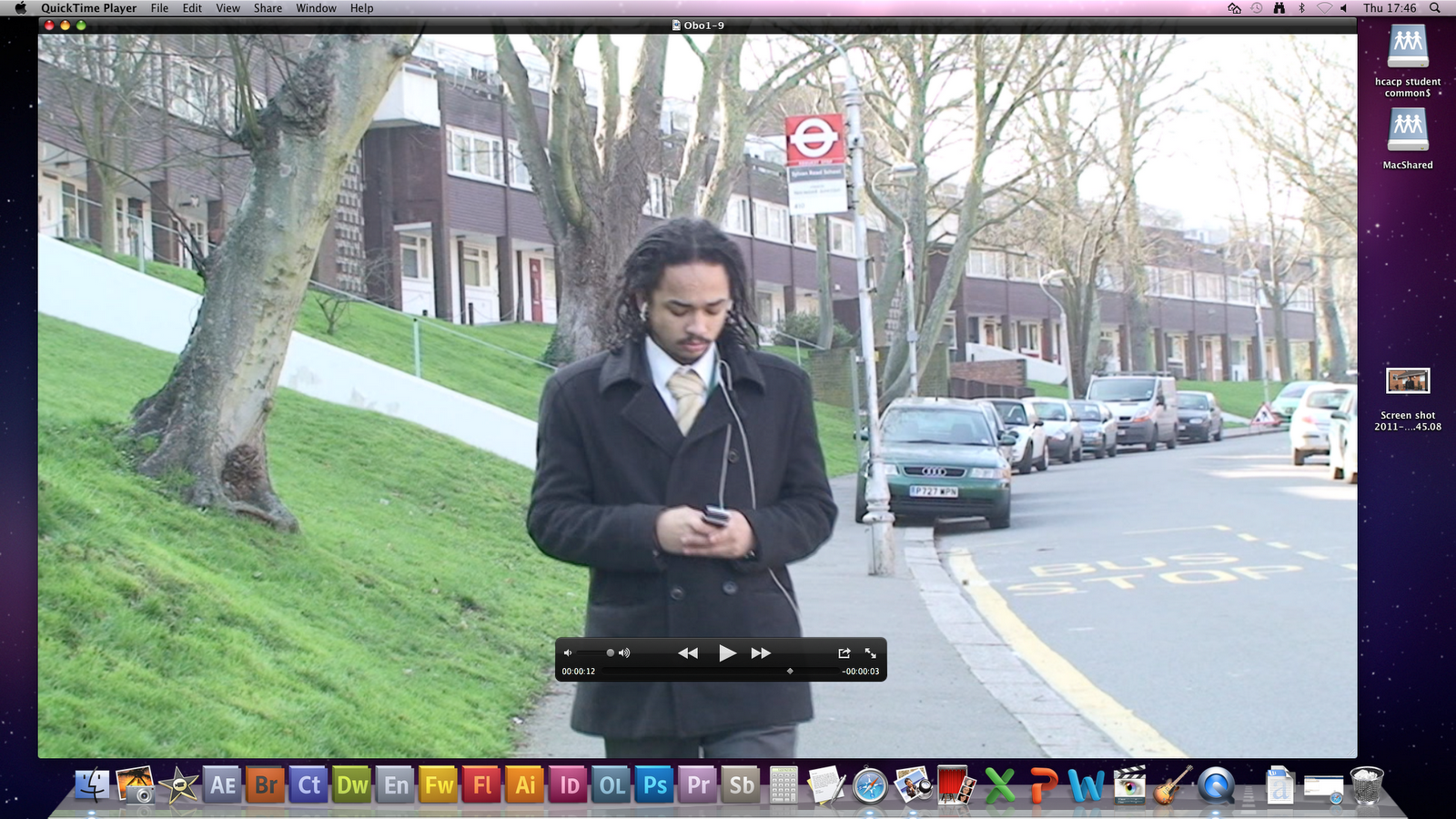
On the left is a picture of our main actors hairstyle during the filming and on the right is our main actors new hairstyle that has changed the continuity in our film, which is caused us to change our actor:

Tuesday, 1 March 2011
Editing and filming in the park
We attempted to edit some of the film in our media lesson, its going good so far. We are excited editing our footage. because its something we have created ourselves. We have selected the clips of Jevan walking down the road using different angles and putting cuts and transitions. This footage has come up to about 40 seconds.
After we finished editing the footage we had, the next lesson we decided to go to the park near our school and was supervised with a member of staff, we started to film our actors entering the park entrance using different ranges of shots, as we got further through the park we shot the scene of when our main actor Scott walks past a random person and receives a menacing look, this triggers of the flash back which we will join together when we go back to editing. Below are images of our park location.


After we finished editing the footage we had, the next lesson we decided to go to the park near our school and was supervised with a member of staff, we started to film our actors entering the park entrance using different ranges of shots, as we got further through the park we shot the scene of when our main actor Scott walks past a random person and receives a menacing look, this triggers of the flash back which we will join together when we go back to editing. Below are images of our park location.


Sunday, 20 February 2011
Filming around the side gate
Our group decided to change the location of where our film was set, in the treatment it says our film would be filmed around Sydenham. However, because the cameras delayed comming, the teachers say that we could only film outside the school premise with a member of staff, due to the risk of the cameras being damaged or robbed. This is why we decided to film right near our school, this would make it a lot easier for us as we would be able to film during our free periods and media lessons.
We was able to schedule our actor, Jevan, in for a few days in the next two weeks. Our other actor is a member of the group so we didn't need to schedule him into our filming schedule. We got a camera from school and went to the sidegate of our school, to the bus stop with our actors. We wasn't able to borrow a tripod today as they was all taken, so we practiced our steady hand skills before filming. We filmed about 10 mins footage. although we only intended for this scene to take up about a minute and half of the actual film. This scene involved Jevan walking down towards the park, and Ainsley picking up the wallet he dropped. We didn't have as much time today as our actor was busy so that's all we got done.
We filmed the flashback scene on a different day. We filmed this close to the front gate of our school. This scene involved Jevan being robbed, at a different time to when the actual film is set. We made use of over the shoulder shots, close ups and mid shots in this scene. This scene will only last about 15-30 seconds in the actual film.


We went back to the side gate, later on the same day as the flashback scene filming. We started filming the rest of that scene that we did finish. This part involved Jevan into the park and getting quite far until the part where he actually notices he is being followed. We made use of the environment to get some interesting shots, such as high angle shots, and shots in between trees which made the scenes seem much more suspense fitting.
We was able to schedule our actor, Jevan, in for a few days in the next two weeks. Our other actor is a member of the group so we didn't need to schedule him into our filming schedule. We got a camera from school and went to the sidegate of our school, to the bus stop with our actors. We wasn't able to borrow a tripod today as they was all taken, so we practiced our steady hand skills before filming. We filmed about 10 mins footage. although we only intended for this scene to take up about a minute and half of the actual film. This scene involved Jevan walking down towards the park, and Ainsley picking up the wallet he dropped. We didn't have as much time today as our actor was busy so that's all we got done.
We filmed the flashback scene on a different day. We filmed this close to the front gate of our school. This scene involved Jevan being robbed, at a different time to when the actual film is set. We made use of over the shoulder shots, close ups and mid shots in this scene. This scene will only last about 15-30 seconds in the actual film.


We went back to the side gate, later on the same day as the flashback scene filming. We started filming the rest of that scene that we did finish. This part involved Jevan into the park and getting quite far until the part where he actually notices he is being followed. We made use of the environment to get some interesting shots, such as high angle shots, and shots in between trees which made the scenes seem much more suspense fitting.
Tuesday, 15 February 2011
Learning how to edit
In lesson Mr sleeth came and taught us how to use final cut express on the macs, this is the software we will be using to edit our film. We took us through the basics of how to open a file, we put up some sports day clips that were already saved onto the macs and started editing, we got taught the different command keys, how to cut and delete parts of the clip. We also looked at the timeline on the screen and went through all of the transitions to give us rough ideas what we would like to use in our film
Subscribe to:
Posts (Atom)